Photos that move.
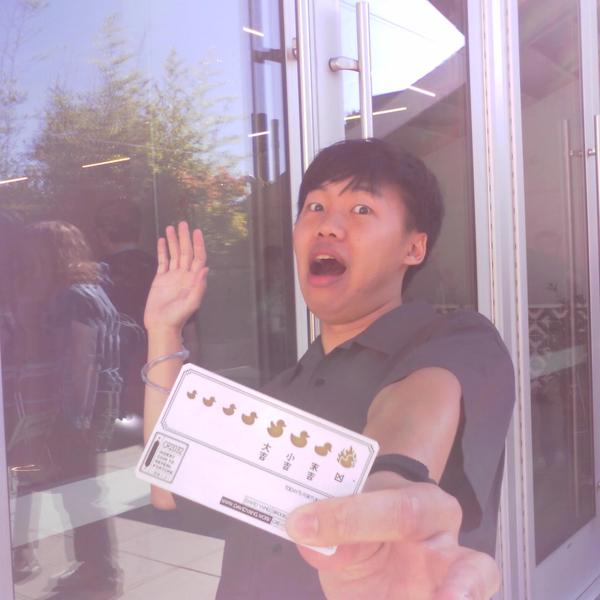
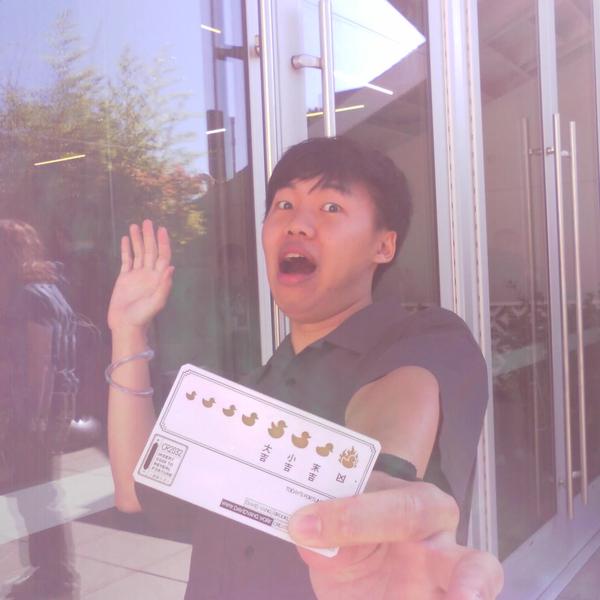
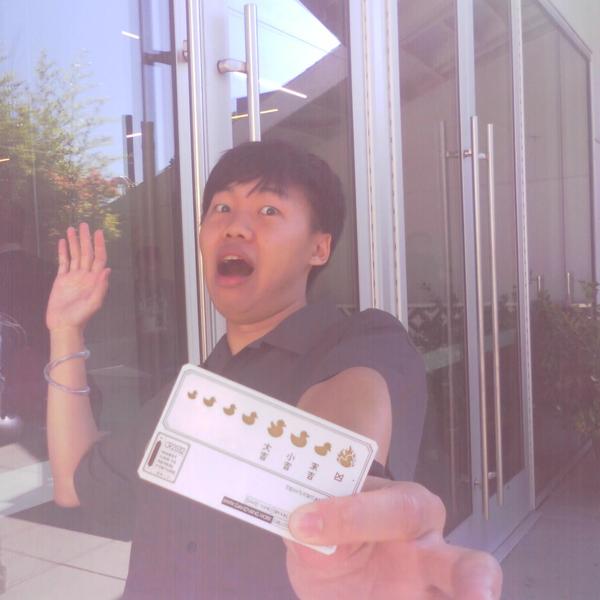
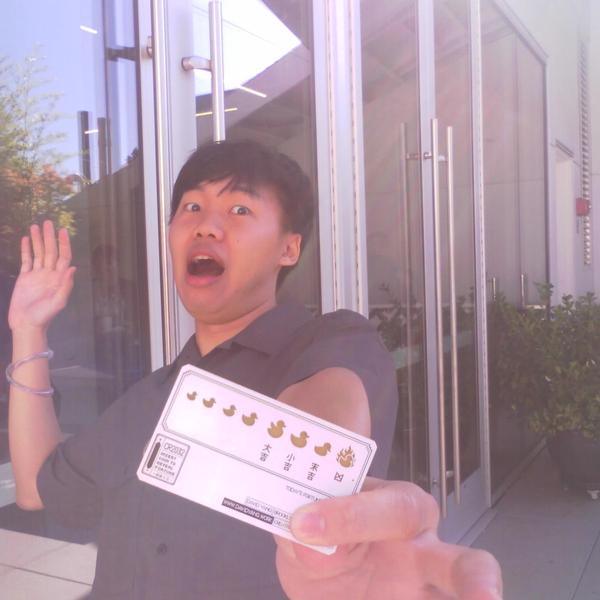
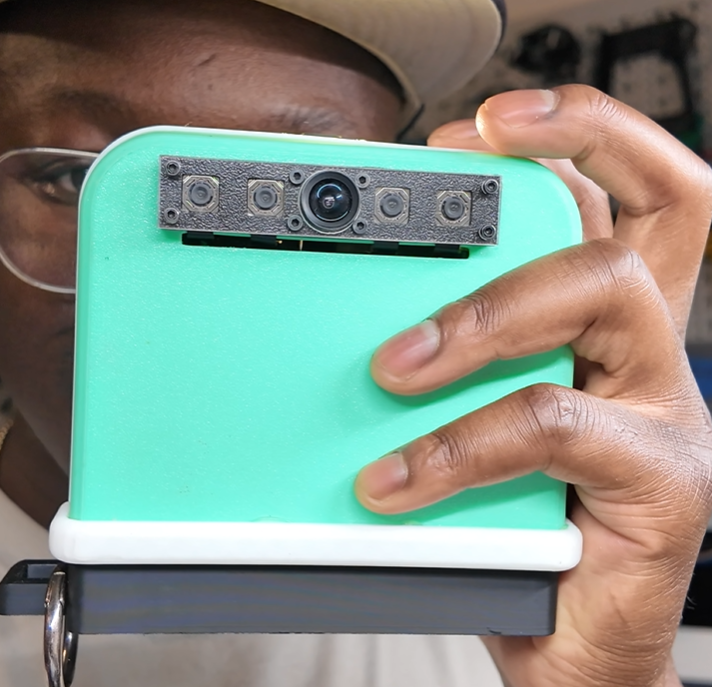
LOOP is a five-lens camera. One press captures a moment from four angles at once, then plays it back as a 3D wiggle or prints it as a lenticular you can tilt in your hand.

Four angles. One instant.
Four lenses fire at exactly the same moment, each from a slightly different position. The fifth, in the centre, runs the live viewfinder. LOOP stitches the four frames into a loop that rocks back and forth, so your subject pops out of the frame.
- Step 1Shoot
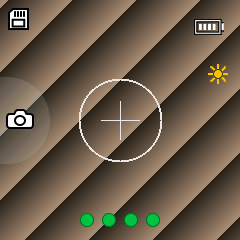
Wait for four green dots, hold still and press. You can take the next shot about three seconds later.
- Step 2Let it develop
Each wiggle builds itself in the background in about a minute, then plays in the album on the camera.
- Step 3Share or print
Send it to your phone as a GIF or MP4, or turn it into a lenticular print.
Hold the moment. Tilt it.
A lenticular print layers all four frames behind a sheet of tiny ridged lenses. Tilt it and the picture shifts in depth, the same way it does on screen. No glasses, no screen, nothing to charge.
Thin, with a proper grip.
The case is 3D printed and snaps together with no screws. A fluted front panel nods to the leatherette on old cameras, and the grip sits out past the lenses so your fingers stay out of the shot.
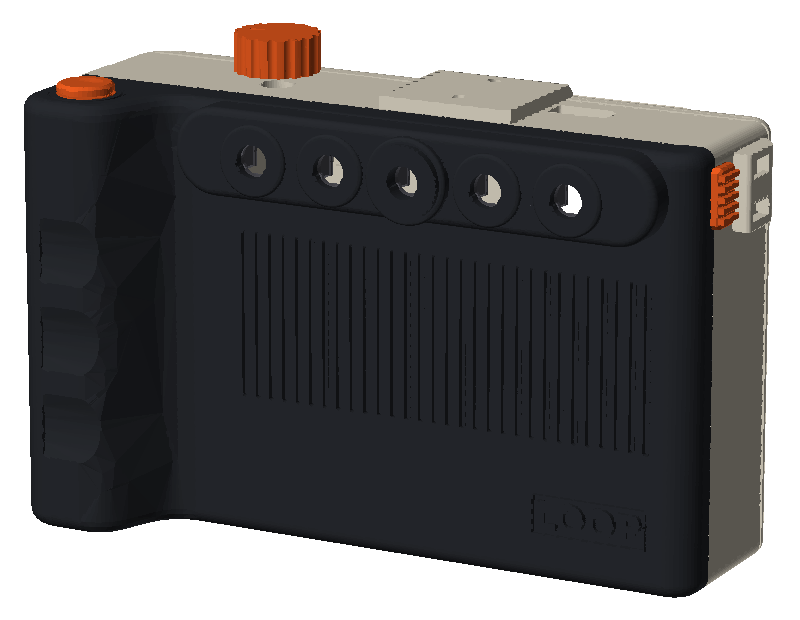
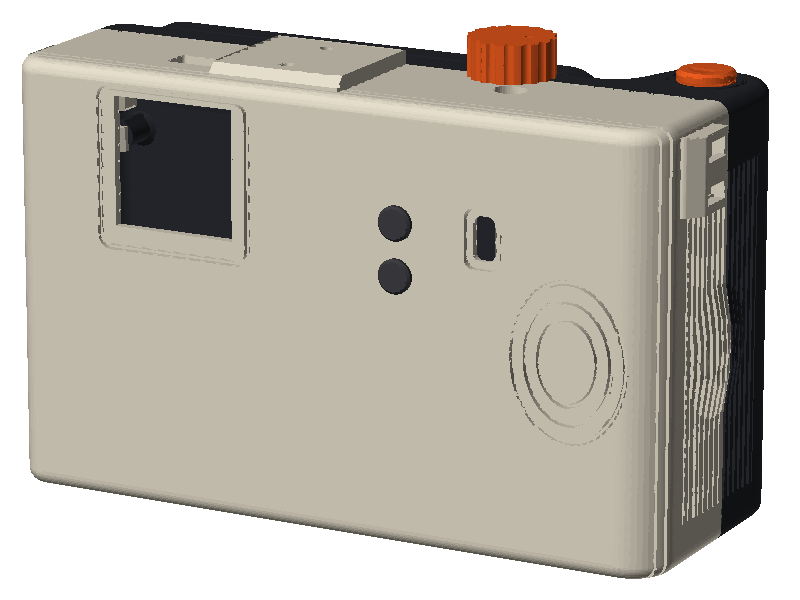
- Five lenses in a row
- Spaced 18, 36 and 18 mm around the centre lens, the spacing the wiggle depends on.
- Shutter on the grip
- A 12 mm shutter where your finger lands, and a dial on top.
- Thumb rest
- Three engraved rings on the back of the grip.
- Strap loops
- Thread a strap through the slots at both top corners.
- Mounts
- A 1/4"-20 tripod thread underneath and a shoe mount on top.
- Everything in reach
- The microSD slot, USB-C port and power slide switch are all reachable from outside the case.
One knob. Two buttons.
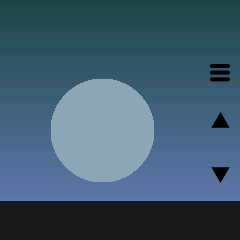
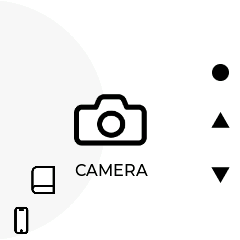
A small square screen on the back shows the viewfinder and your album. Spin the knob to focus or scroll, press it to shoot. LOOP handles exposure and flash on its own, switching profiles for bright sun and firing the flash when it's dark.
- Spin the knob
- Autofocus · scroll
- Press
- Take the picture
- Hold 4 seconds
- Sleep
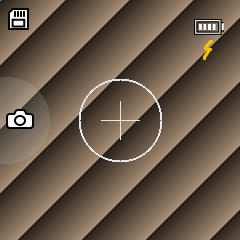
One for your pocket. One for your desk.
Use the phone app to get wiggles off the camera and share them. Use the desktop app to fine-tune them and print lenticulars at home.
LOOP for phone
- Pair over BluetoothOpen Connect on the camera and tap Pair. No Wi-Fi nearby? The app joins the camera’s own hotspot.
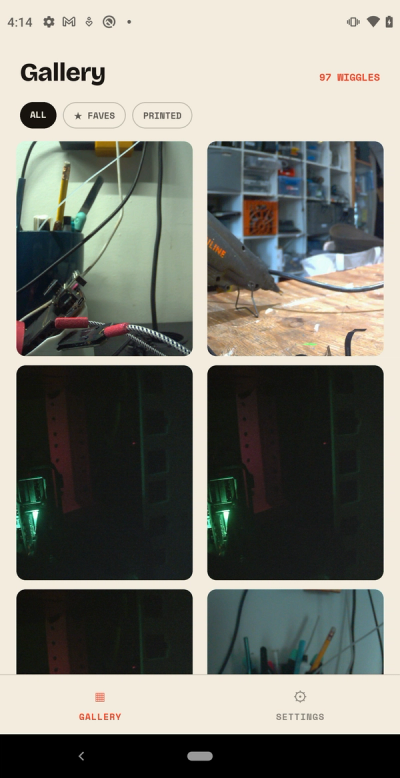
- Your whole albumEvery wiggle on the card, newest first, with Faves and Printed filters.
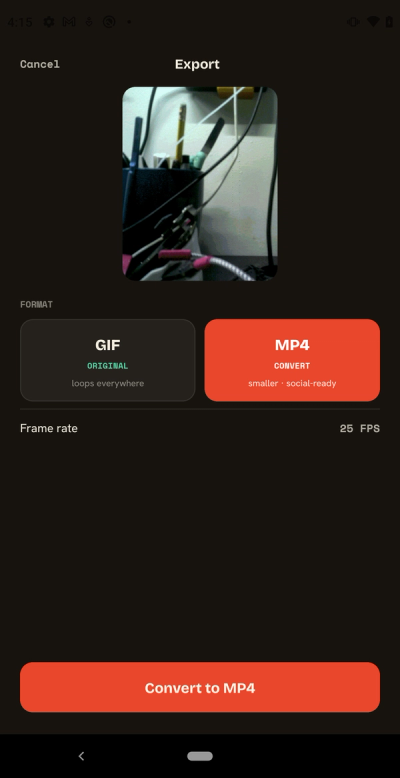
- Save as GIF or MP4Keep the original GIF, or make a 10-second MP4 on your phone that loops cleanly anywhere. Select a batch and save them all.
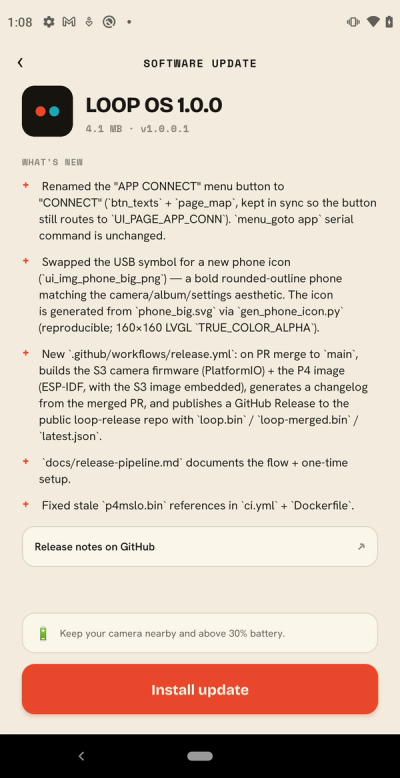
- Camera updatesNew camera software installs from the app, with progress as it goes.
LOOP for desktop
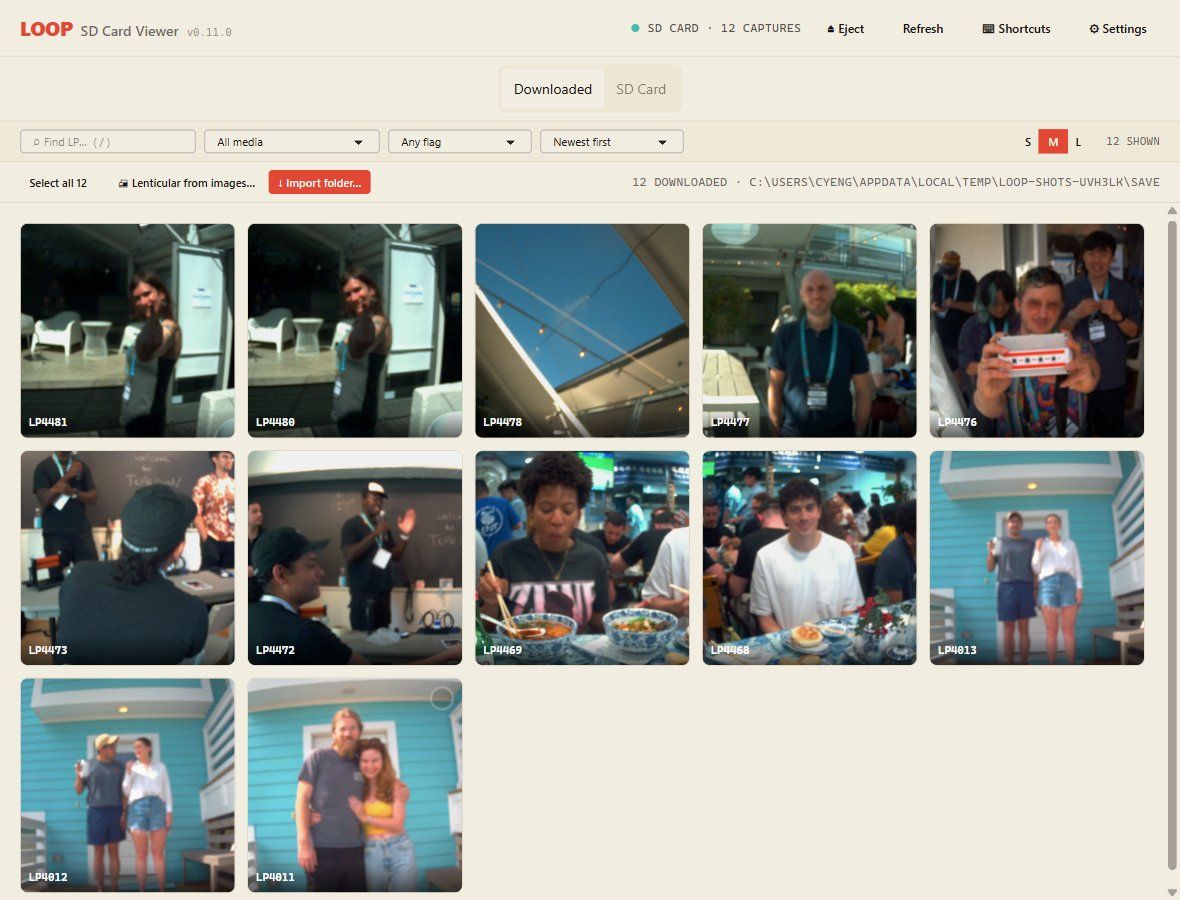
Put the camera’s microSD card in your computer and LOOP finds it. Save wiggles as GIF, MP4 or the four raw frames from each lens. Saving again only copies what’s new.
Rate, pick and reject as you go, search and filter the library, and step through frame by frame in the viewer.
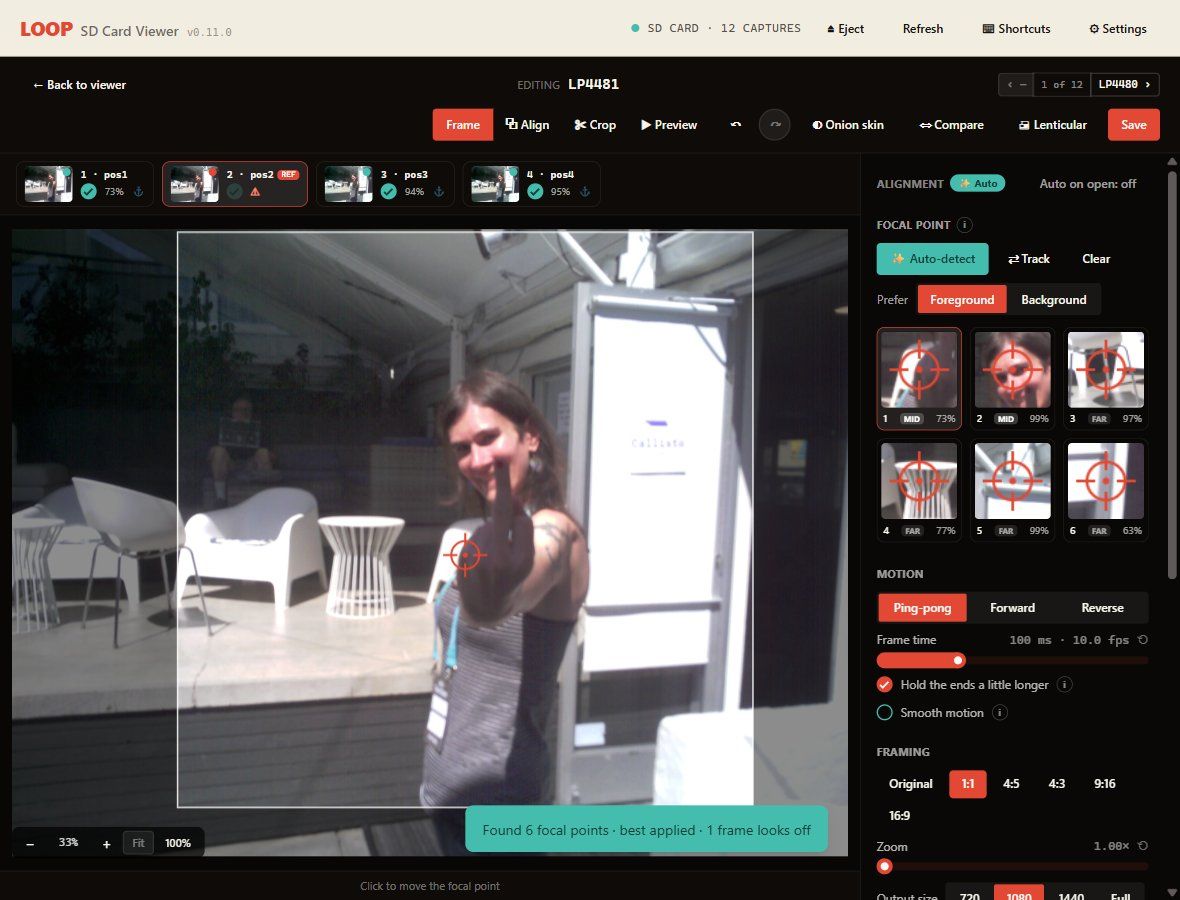
Choose what holds still. Click the subject, or let Auto-detect suggest focal points, worked out on your computer. Leave out a blurry frame, set ping-pong, forward or reverse, and pick 1:1, 4:5, 9:16 and more.
Smooth motion adds in-between frames. Every edit saves as a new file beside the original, which is never changed.
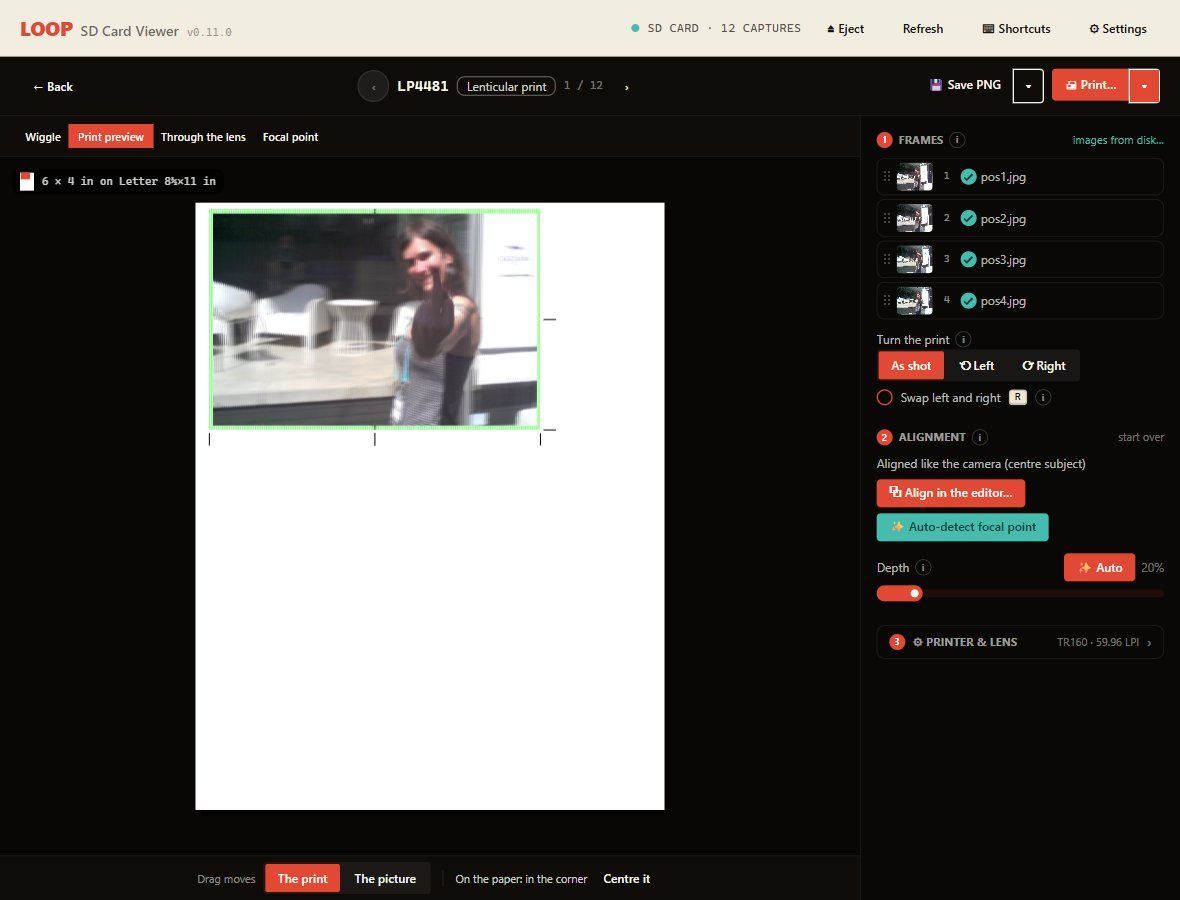
Turn any capture into a 4 × 6 in lenticular on a home inkjet. The app lays out the print file, adds trim and alignment marks, and sends it to the printer.
Auto depth keeps close-ups from doubling up, and Through the lens shows what the print will look like from each angle before you use any ink.
What's inside.
- Lenses
- 5 (4 capture + 1 viewfinder)
- Sensors
- 5 MP per capture lens
- Output
- 1920 × 1920 loop
- Export
- GIF or MP4
- Screen
- 1.54 in, 240 × 240 colour
- Shot to shot
- About 3 seconds
- Focus
- Autofocus, all lenses
- Flash
- LED · Off / On / Auto
- Storage
- microSD
- Wireless
- Wi-Fi + Bluetooth
- Battery
- 2500 mAh, USB-C charging
- Mounts
- 1/4"-20 tripod · shoe
LOOP Camera
- Five-lens LOOP camera
- Phone app for iOS and Android
- Desktop app for macOS and Windows
- Free software updates over Wi-Fi